01
Pick your main character.
Upload a clear photo. Add a friend's photo to put them on the hover-bike behind you.
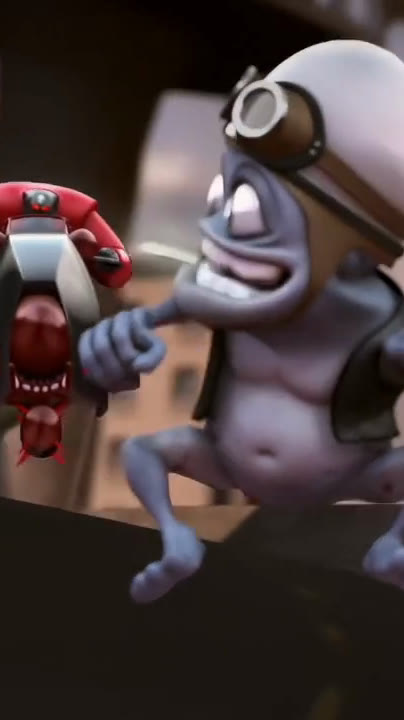 Original chase · your video stars you
Ride the invisible moped with a hover-bike on your tail. One photo in, one 14-second video out.
Put me in itfrom $9.99Ride the invisible moped in the Crazy Frog chase, a hover-bike on your tail.
Turn one photo into the full 14-second AI video. No prompts, no editing.
Original animation shown as a motion reference.
Your video recreates this chase with your photo.
We set the scene. You bring the cast.
Upload a clear photo. Add a friend's photo to put them on the hover-bike behind you.
Ride the classic overpass chase. More scenes are on the way.
Download a 16:9 MP4 with the chase soundtrack. Ready for your next post.
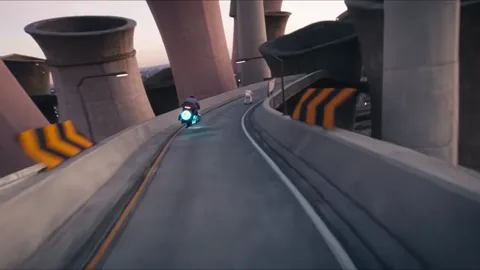 Original overpass
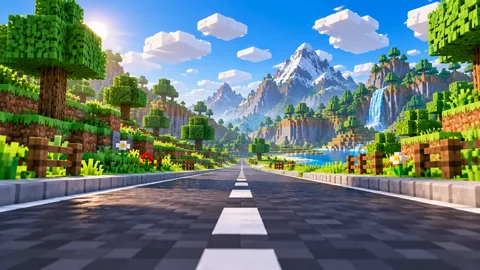 Blocky worldComing soon
 Mars outpostComing soon
 Office floorComing soon
 SupermarketComing soon
 Snowy mountainComing soon
 Coastal roadComing soon
 Neon cityComing soon
The original overpass is live today. The other scenes are previews of what is coming next.
The Crazy Frog AI trend, also called the invisible moped or invisible motorcycle trend, is a short AI video where a real person takes Crazy Frog's place in his famous chase. You crouch on an invisible moped with your hands on imaginary handlebars, a pursuer on a hover-bike closes in, and you backflip and get away. There is no frog in the finished video, just you.
The scene comes from the 2005 Crazy Frog "Axel F" video, remembered for its "ring ding ding" engine sound. Crazy Frog AI recreates the full 14-second chase, the same length as the original, from one photo. Add a friend's photo and they become the one chasing you.
Free and quick, but it edits or overlays a fixed clip. You do not really ride in the chase.
Kling, Seedance and others can do it if you write the prompt yourself and retry until the pose, chase and backflip land.
Get the promptThe chase, cuts and soundtrack are built in. Upload one or two photos and download the 14-second MP4 with sound.
Make mineCrazy Frog AI is an online Crazy Frog AI video generator. Upload one photo and it puts you in the viral "invisible moped" chase: you crouch on an invisible moped (or motorbike) while a pursuer on a hover-bike chases you, then you flip and escape. The full 14-second chase, the same length as the original. No prompts, editing or apps are needed.
Videos are sold as one-time packs with no subscription: $9.99 for 1 video, $19.99 for 3 videos, $59.99 for 10 videos. One finished video uses one credit, and unused credits do not expire.
There is no free generation. Each video is generated on paid AI video models, so a video costs one credit (from $9.99). If a generation fails, the credit is returned automatically.
One clear, front-facing photo of one person (JPEG, PNG or WebP under 10 MB). Add an optional second photo to choose who chases you; otherwise a default pursuer is used.
A 14-second clip, downloaded as one 16:9 landscape MP4 (480p) with the chase soundtrack. It uploads directly to TikTok, Reels, Shorts and YouTube.
Not yet. Every video currently uses the original overpass chase scene. More scenes such as Neon city, Snowy mountain, Coastal road and Supermarket are coming soon.
Generation runs in the background after you press generate, and you can leave the page. If a video is not finished within 30 minutes, the task fails and the credit is returned.
Yes. Upload your photo as the rider and a friend's photo as the chaser on the hover-bike. With only one photo, a default supporting character chases you. Only use photos of yourself or of adults who agreed to appear.
More answers: What is the Crazy Frog AI trend? · How to make a Crazy Frog AI video from your photo · Is there a free Crazy Frog AI video generator? · Best photos for a Crazy Frog AI video · Crazy Frog AI video for TikTok, Reels and Shorts · Crazy Frog AI prompt: what to type (and when you don't need one) · What is the Crazy Frog meme? From the ringtone to the AI invisible moped · Make a Crazy Frog AI video with a friend as the chaser · Crazy Frog AI vs a CapCut template or Kling: which should you use?